Understanding the Barcode PNG: Quality Meets Functionality
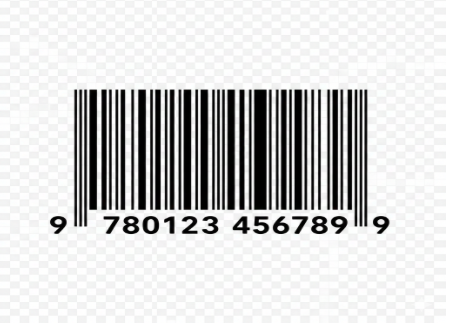
In the digital age, the humble barcode remains the backbone of global commerce. Whether you are an e-commerce entrepreneur, a graphic designer, or a logistics manager, finding the right barcode png is crucial for ensuring your products move seamlessly from warehouse to customer.
Unlike jagged JPEGs or complex vector files that require specialized software, a PNG (Portable Network Graphics) format offers a “sweet spot” of lossless compression and transparency. This makes it the go-to choice for digital mockups, website listings, and high-quality printing.
Why Choose PNG for Barcodes?
- Transparency: Unlike JPEGs, PNGs allow for transparent backgrounds, meaning you can overlay a barcode onto any package design without a clunky white box.
- Lossless Quality: Barcodes rely on precise edge definition. PNGs maintain sharp lines, which is essential for scanner readability.
- Web Compatibility: If you are displaying a product on Shopify, Amazon, or eBay, a barcode png ensures the image remains crisp across all devices.
Common Types of Barcodes You Might Need
Before you hit “download,” it’s important to identify which symbology fits your specific use case. Not all barcodes are created equal.
| Barcode Type | Primary Use Case | Format |
| UPC-A | North American retail products | 12 Digits |
| EAN-13 | International retail products | 13 Digits |
| Code 128 | Logistics, shipping, and inventory | Alphanumeric |
| QR Code | Marketing, URLs, and digital menus | 2D Matrix |
How to Generate and Use a Barcode PNG
Navigating the world of barcode generation can be tricky. If you are looking to create a unique barcode png for your brand, follow these essential steps:
1. Identify Your Requirements
Do you have a registered GTIN (Global Trade Item Number)? If you are selling on major platforms like Amazon, you must obtain your numbers from GS1. Once you have the number, you can convert it into a PNG image.
2. Use a Reliable Generator
There are several navigational paths to acquire your image:
- Online Generators: Sites like Barcode-Generator.org allow you to input your digits and export a high-resolution PNG.
- Design Software: Tools like Adobe Illustrator or specialized barcode plugins allow for more customization.
- API Integration: For developers, using an API to generate barcode png files on the fly is the most efficient way to handle large inventories.
3. Sizing and Scaling
One common mistake is scaling a PNG too small. For a barcode to remain “scannable,” it must maintain a certain physical size (usually at least 30mm wide for EAN/UPC). If you stretch a small PNG, the “quiet zone” (the white space around the bars) may become distorted, leading to scanning failures at the checkout counter.
Pro-Tips for Printing Barcode PNGs
If your goal is physical printing—such as on product labels or shipping stickers—keep these technical tips in mind to avoid costly re-prints:
- Contrast is Key: The most reliable combination is black bars on a white background. While a transparent barcode png allows for creative colors, avoid light-colored bars or dark-colored backgrounds.
- Resolution: Always aim for 300 DPI (dots per inch) or higher. Lower resolutions will result in “fuzzy” edges that infrared scanners struggle to read.
- Test Before Mass Production: Never print 10,000 labels without testing a prototype. Use a physical scanner or a smartphone app to verify the PNG renders correctly.
Where to Find High-Quality Barcode PNG Assets
For those in the design phase who need “placeholder” or “dummy” barcodes for mockups, several resources offer free downloads:
- Stock Photo Sites: Platforms like Pexels or Unsplash often have stylized barcode images.
- Icon Libraries: Flaticon and FontAwesome provide barcode icons in PNG format for UI/UX design.
- Open Source Tools: Zint Barcode Studio is a powerful offline tool for generating almost any barcode type in high-quality PNG format.
Final Thoughts: The Future of Scannable Media
While the traditional linear barcode (1D) is still king in retail, we are seeing a massive shift toward 2D barcodes (like QR codes). Transitioning your workflow to handle barcode png files now ensures that your business remains agile, whether you’re sticking a label on a box or embedding a scan link in a digital flyer.
Remember: A barcode is more than just lines; it’s a data bridge. Choosing a high-quality PNG format ensures that bridge never breaks
Leave a Reply