
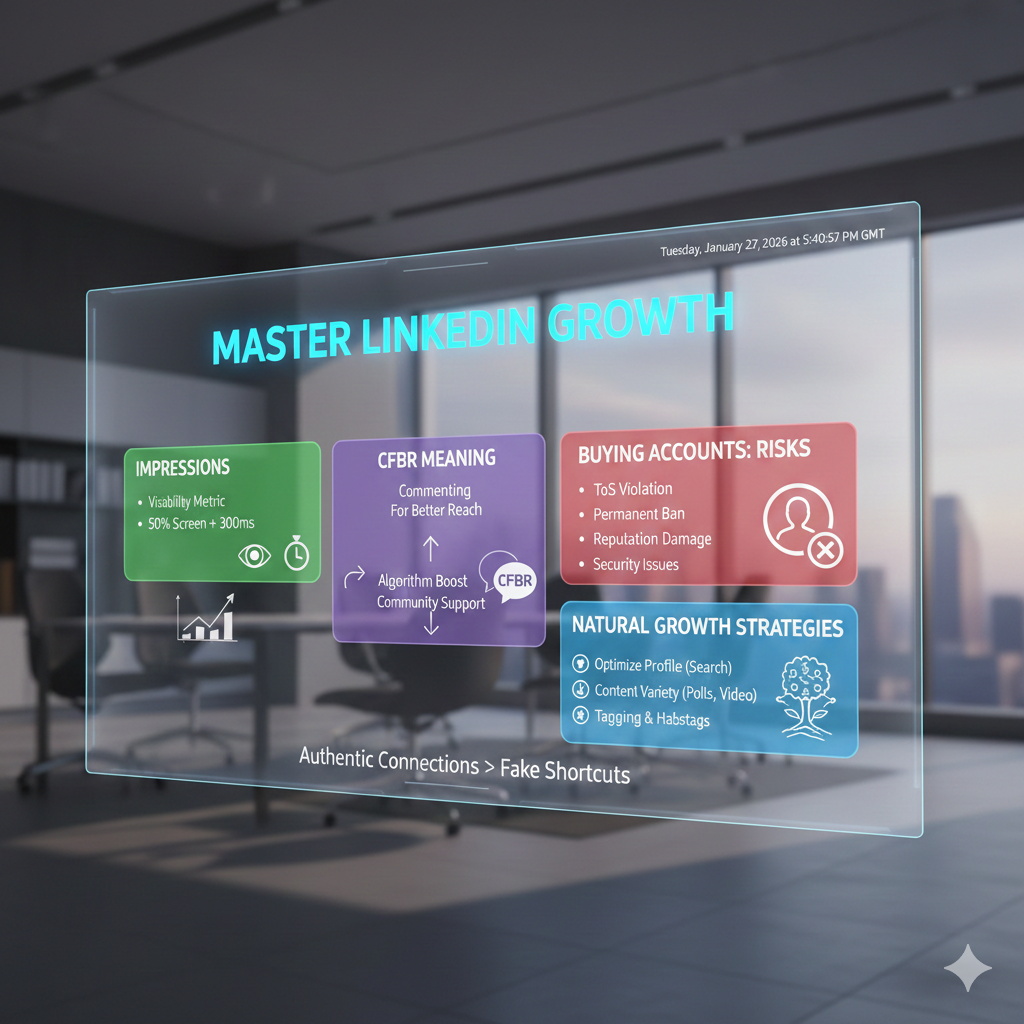
LinkedIn has evolved from a simple digital resume into a powerhouse for B2B marketing, networking, and thought leadership. However, as the platform becomes more competitive, users often find themselves lost in technical jargon or looking for “shortcuts” to gain visibility.
In this comprehensive guide, we will break down the essential metrics that define your success—LinkedIn Impressions—the meaning of viral terms like CFBR, and the critical reality of buying LinkedIn accounts.
1. What is an Impression on LinkedIn?
The most basic metric you will encounter on your LinkedIn dashboard is “Impressions.” But what exactly does it represent?
An impression is counted every time your content is displayed on a user’s screen. If a professional scrolls past your post in their feed, LinkedIn logs that as one impression.
How LinkedIn Counts Impressions
Unlike some platforms that require a “click” or a “like” to register a stat, an impression is purely about visibility. According to LinkedIn’s technical standards, an impression is recorded when:
- At least 50% of the post is visible on the screen.
- The content is viewed for at least 300 milliseconds (which is essentially the blink of an eye).
Impressions vs. Reach: What’s the Difference?
It is common to confuse impressions with “reach,” but they tell different stories:
- Impressions: The total number of times your post was shown. If one person sees your post three times (e.g., once in their feed, once when a friend shares it, and once when they visit your profile), that counts as 3 impressions.
- Reach (Unique Impressions): The number of unique individuals who saw your post. In the example above, the reach would be 1.
Pro Tip: High impressions with low engagement (likes/comments) often mean your “hook” or “headline” isn’t strong enough to stop the scroll.
2. Why Do LinkedIn Impressions Matter?
If an impression doesn’t guarantee that someone actually read your post, why should you care?
- Brand Awareness: Consistent impressions act like “digital billboards.” Even if users don’t click, they are becoming familiar with your name and expertise.
- Algorithm Fuel: The LinkedIn algorithm monitors how many impressions lead to engagement. If your post gets 1,000 impressions and 100 likes, the algorithm sees a 10% engagement rate and pushes the post to even more people.
- Data-Driven Testing: By comparing impressions across different posts, you can identify which topics (e.g., AI, leadership, or personal stories) your audience finds most “scroll-stopping.”
3. CFBR Meaning: The Secret Sauce of LinkedIn Engagement
If you spend enough time in the comments section of viral posts, you will inevitably see the acronym CFBR.
CFBR stands for “Commenting For Better Reach.”
How CFBR Works
The LinkedIn algorithm prioritizes posts that generate conversation. When you comment on a post, the algorithm interprets this as a signal that the content is valuable. This triggers two things:
- The post is shown to your connections, expanding the original author’s reach.
- The post stays “alive” in the feed for a longer period.
Why People Use CFBR
Often, friends or colleagues use “CFBR” as a quick way to support each other’s content without writing a long, thoughtful response. It’s a community-driven “boost” intended to help a post go viral.
Is it effective? While a comment is better than nothing, LinkedIn’s 2026 algorithm prefers meaningful comments (at least 5–10 words). Writing “Great insights, thanks for sharing!” is significantly more powerful than simply typing “CFBR.”
4. Buying LinkedIn Accounts: A Risky Shortcut
In the race for visibility, some marketers and sales teams consider a controversial tactic: buying LinkedIn accounts. These are typically “aged” accounts with existing connections or “PVA” (Phone Verified Accounts).
Why People Do It
- Bypassing Limits: LinkedIn restricts how many connection requests a new account can send. Purchased “aged” accounts often have higher limits.
- Lead Generation: Agencies use multiple accounts to scale their outreach messages.
- Social Proof: An account with 500+ connections looks more “established” than a brand-new one.
The Dangers of Buying Accounts
While it may seem like a shortcut, buying accounts is a “high-risk, low-reward” strategy that can backfire in several ways:
| Risk Factor | Consequence |
| Terms of Service | Buying or selling accounts is a direct violation of LinkedIn’s User Agreement. |
| Account Bans | LinkedIn uses sophisticated AI to detect IP mismatches and suspicious login patterns, often leading to permanent bans. |
| Reputation Damage | If your prospects realize they are talking to a “bought” or fake persona, you lose all professional credibility. |
| Security Issues | Purchased accounts are often “reclaimed” by the original owner or hackers, leading to a loss of your investment. |
The Verdict: It is always better to build an authentic profile. A small, engaged network of 500 real connections is worth more than 5,000 fake ones that never engage with your content.
5. How to Increase LinkedIn Impressions Naturally
If buying accounts is a bad idea, how do you actually grow? Here are the most effective, “White Hat” strategies to boost your impressions:
A. Optimize Your Profile for Search
Your profile itself can generate impressions through LinkedIn’s search engine. Use keywords related to your industry in your Headline and About section. For example, instead of just “Marketing Manager,” use “Digital Marketing Manager | SEO & Lead Generation Specialist.”
B. Use the “Golden Hour”
The first 60 minutes after you post are critical. If you get a burst of engagement (likes and comments) during this time, LinkedIn will amplify your impressions significantly. Engage with others’ posts right before you publish your own to “warm up” your presence.
C. Leverage Different Content Formats
LinkedIn loves variety. To maximize impressions, mix up your strategy:
- Document/Carousel Posts: These have the highest dwell time, which the algorithm rewards.
- Polls: Extremely easy for people to engage with, often resulting in massive impression counts.
- Native Video: Great for building personal trust and keeping users on the platform.
D. The Power of Tagging and Hashtags
Tag relevant people (only if they are actually involved in the post) to draw them into the conversation. Additionally, use 3–5 relevant hashtags. Over-tagging can look like spam and actually decrease your reach.
6. Summary: The Path to LinkedIn Success
Building a presence on LinkedIn is a marathon, not a sprint. Understanding the technical side—like how impressions are calculated—gives you the tools to measure your progress. Participating in the community through CFBR (or better yet, meaningful conversation) builds the necessary engagement to grow.
Most importantly, avoid the temptation of buying accounts. The platform is built on trust; once that trust is broken with LinkedIn’s security systems or your professional peers, it is nearly impossible to rebuild.
Focus on providing value, staying consistent, and engaging authentically. Your impressions will follow.
Leave a Reply