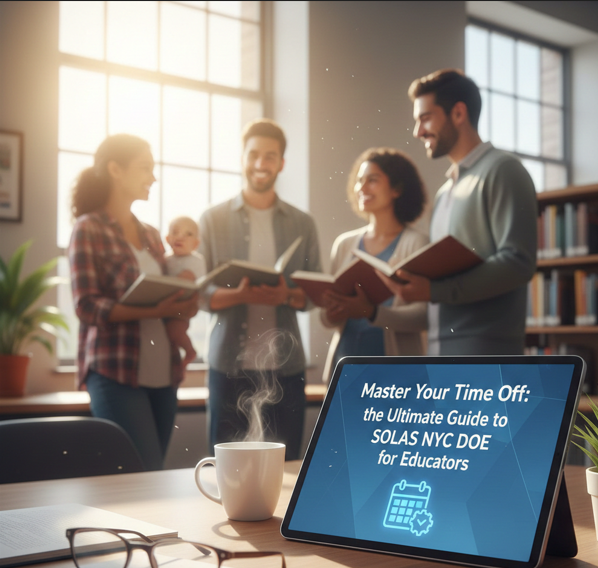
Navigating the administrative landscape of the New York City Department of Education (NYC DOE) can often feel like a full-time job in itself. For educators and staff members, one of the most critical tools in your professional arsenal is the Self-Service Online Leave Application System, commonly known as SOLAS NYC DOE.
Whether you are planning for a new addition to your family, managing a health recovery, or seeking a sabbatical for professional growth, understanding the SOLAS NYC DOE portal is the key to a seamless transition. This guide provides both the informational background you need and the transactional steps to ensure your leave is approved without a hitch.
What is SOLAS NYC DOE?
The SOLAS NYC DOE system is a centralized digital platform designed specifically for NYC Department of Education employees to request and manage various types of leaves of absence.1 Gone are the days of cumbersome paper forms and lost mail; SOLAS digitizes the entire lifecycle of a leave request, from the initial application to the final approval.
Why Use SOLAS?
Using SOLAS NYC DOE is mandatory for most pedagogical and administrative staff.2 The system serves several vital functions:
- Transparency: Track the status of your application in real-time.
- Efficiency: Automated workflows route your request directly to the appropriate HR and supervisory channels.
- Documentation: Securely upload medical certificates, military orders, or adoption papers.3
Types of Leave Supported by SOLAS NYC DOE
Before you log in, it is important to know which categories of leave are handled through the SOLAS NYC DOE portal. The system is designed to process:
- Maternity and Child Care Leave: For birth, adoption, or foster care placement.4
- Restoration of Health: For personal illness or injury requiring more than 20 consecutive school days.
- Sabbaticals: Both for study and for restoration of health.
- Military Leave: For employees called to active duty or training.5
- Personal Affairs: Specific non-medical leaves (often for administrative titles).6
Step-by-Step: How to Use SOLAS NYC DOE
If you are ready to file for leave, follow this transactional guide to ensure your SOLAS NYC DOE submission is complete and compliant.
1. Access the Portal
Navigate to the official SOLAS NYC DOE login page (usually hosted via the HR Connect or DHR NYCAPS portal). You will need your DOE credentials—typically the same username and password you use for your DOE email.
2. Choose Your Leave Category
Once logged in, select “New Application.” The system will prompt you to choose the type of leave. Be precise; selecting the wrong category can lead to delays or denials.
3. Enter Important Dates
Precision is key. Enter your “Last Day of Work” and your “Expected Return Date.” If you are applying for SOLAS NYC DOE paid parental leave, remember that you must typically notify the DOE via the system within 10 days of the actual birth or event.7
4. Upload Supporting Documents
The SOLAS NYC DOE system allows you to attach PDF or image files.8 For medical leaves, ensure your doctor has filled out the required NYC DOE medical forms (like the OP 198) before you start your digital application.
5. Review and Submit
Review your summary page. Once you click “Submit,” your school’s leave secretary and principal will be notified that an application is pending.
Key Benefits for NYC Educators
Utilizing SOLAS NYC DOE isn’t just a requirement; it provides several protections for your career and benefits:
- Benefit Continuity: Correctly filing through SOLAS NYC DOE ensures that your health insurance and seniority status are managed according to your union contract (UFT, CSA, or DC37).
- Legal Compliance: The system is built to align with the Family and Medical Leave Act (FMLA), ensuring your rights are protected under federal law.9
- Communication: All updates regarding your leave are sent directly to your DOE email, providing a clear paper trail of all approvals.
Common Tips for a Successful Application
To avoid the common pitfalls associated with the SOLAS NYC DOE process, keep these tips in mind:
- Apply Early: For foreseeable events like study sabbaticals or planned surgeries, submit your SOLAS NYC DOE request at least 30 to 60 days in advance.
- Consult Your Union: The UFT provides extensive resources on leave rights.10 It is often helpful to speak with a borough office representative before hitting “Submit” on SOLAS NYC DOE.
- Verify Timekeeping: Your school’s leave secretary has access to SOLAS NYC DOE to verify your time.11 Keep them in the loop to ensure your payroll remains accurate.
Summary Table: SOLAS NYC DOE Leave Quick-Facts
| Leave Type | Notice Required | Primary Requirement |
| Paid Parental | 15 Days Before | UFT/DC37 Eligibility |
| Restoration of Health | As soon as possible | Medical Certification |
| Study Sabbatical | Usually by March/April | 7+ Years of Service |
| Military Leave | Upon Receipt of Orders | Copy of Official Orders |
Conclusion
Mastering the SOLAS NYC DOE system is essential for any New York City educator looking to balance their professional responsibilities with their personal life. By following the steps outlined above, you can navigate the leave process with confidence, knowing that your benefits and position are secure.
Leave a Reply